

Dajkan Android app · client 15.24 · version 2.1.4 · 50+ downloads
Tibia OTS for Android – the full game on your phone
Dajkan is a Polish non-PvP Tibia OTS you can also play on your phone. The Android app holds the full 15.24 game client: the same world, the same characters and every window you know from PC, with controls built from scratch for touch.
- Free
- Android 7.0+
- One account on PC and phone
- Non-PvP, no resets
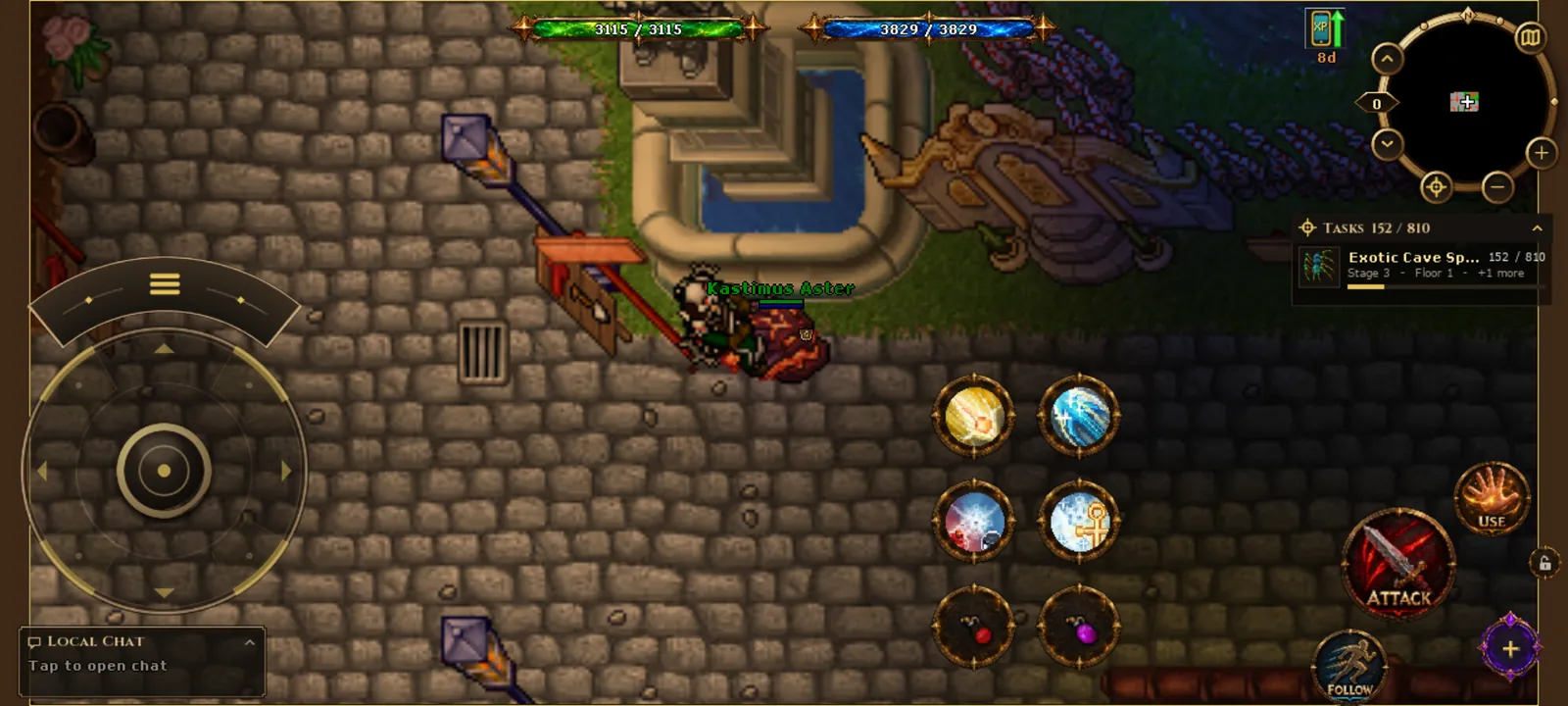
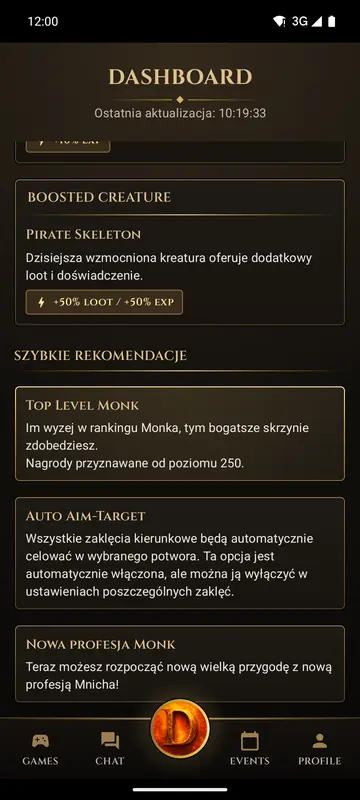
Screenshots from app 2.1.4 on Android. Tap any screenshot to zoom in.
- 15.24game client version
- 1 accounton PC and phone
- Freeapp and game
- 5 000 000 gpto earn in the tutorial
The full Tibia client on your phone, not a lite version
When you search for "Tibia on your phone", it is easy to end up with apps that only show character stats, or with a PC client squeezed onto a small screen. On Dajkan you tap Enter World and the real game client starts. You log in with the same character as on your computer, hunt in the same places and use the same systems.
Among others, you have:
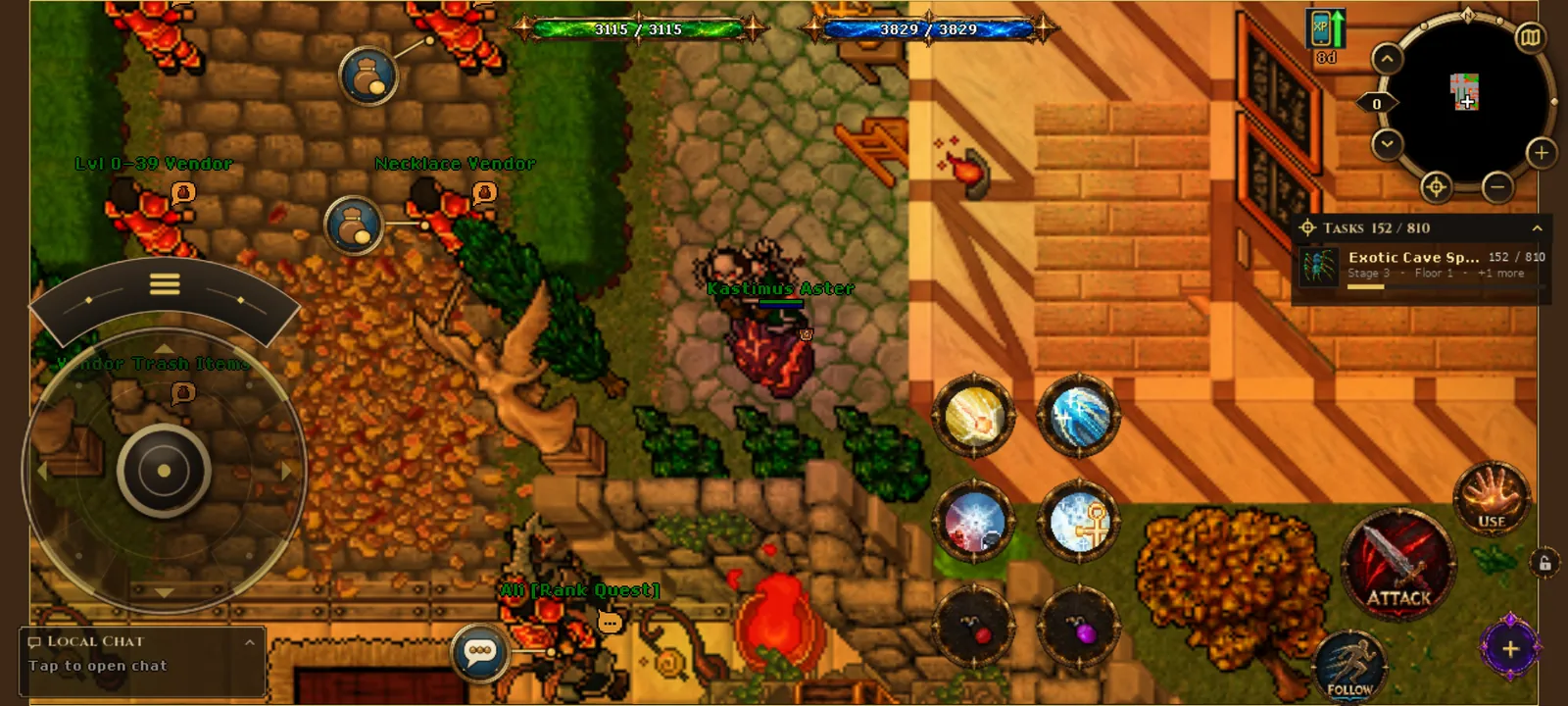
Touch controls: joystick, spell orbs and actions under your thumb
The map fills the whole screen and everything you need in a fight sits under your thumbs. No aiming at tiny PC buttons.
-
Joystick
Walk in every direction, diagonals included, and turn on the spot without taking a step.
-
Spell orbs
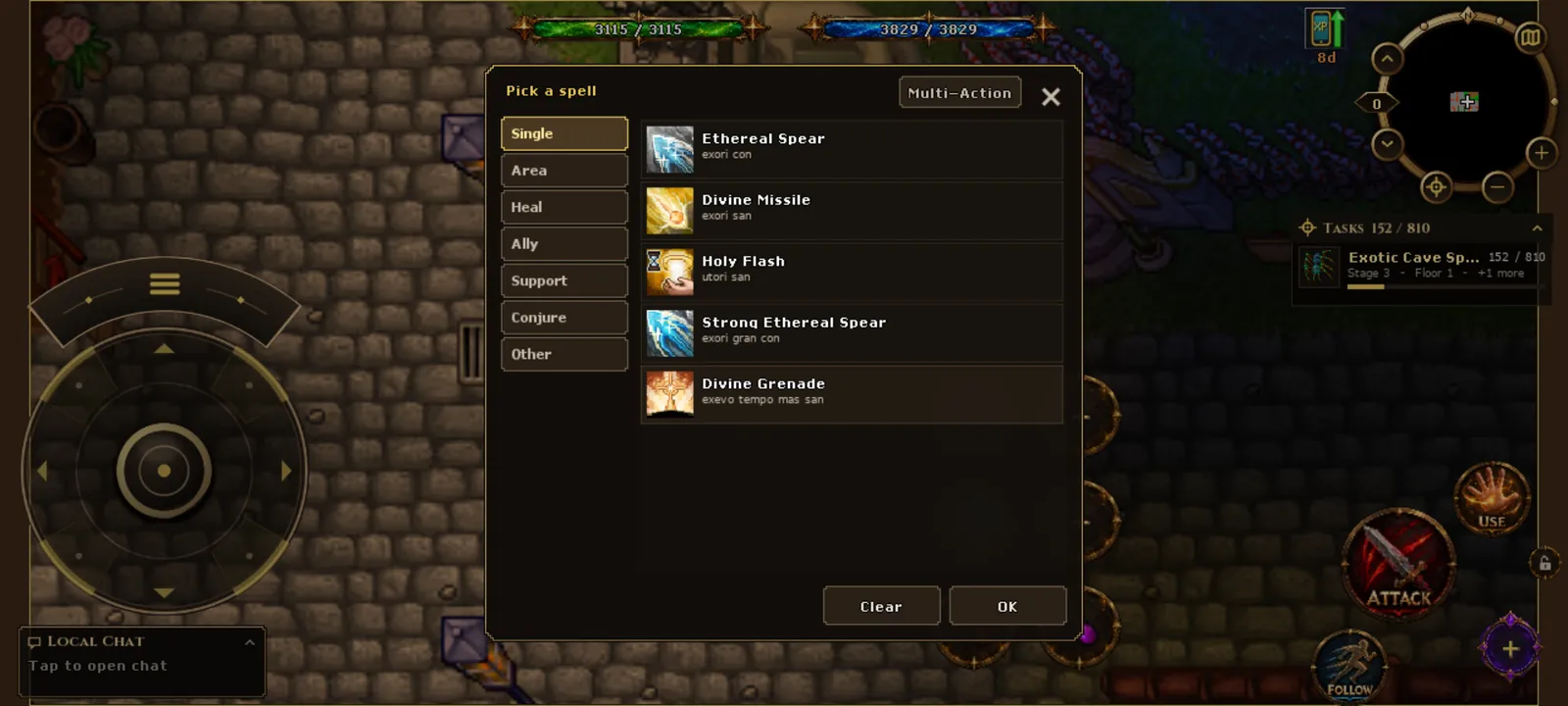
Put spells, runes and potions on the orbs. The spell picker groups them: single, area, healing, support.
-
ATTACK, USE, FOLLOW, LOOT
Attack the target, use an item, follow a creature or pick up the loot around you with one tap.
-
Hold and second finger
Hold a creature or an item for the action menu (Look, Inspect, Use). A second finger works while you keep walking.
-
Minimap and tracker
Round minimap, HP and mana bars and the task tracker stay on the game screen.
-
Party voice chat
In a party a mic button shows up: talk to your team while you hunt.
NPCs, trade and talks with one tap
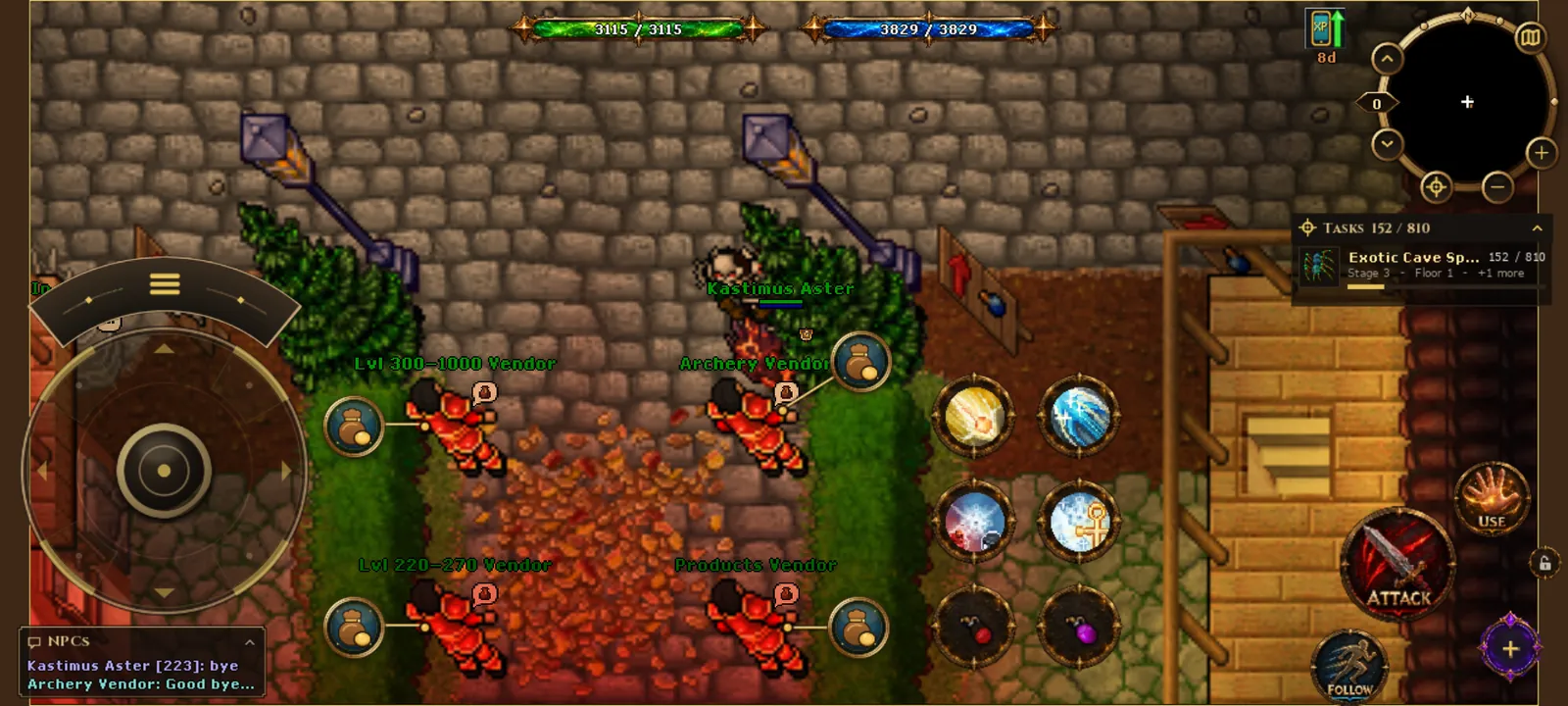
NPCs show a bubble above their head: tap it and your character walks up and greets them. Keywords in the conversation can be tapped, so you do not have to type, and the trade window has a search box, a Buy/Sell switch and an amount counter.
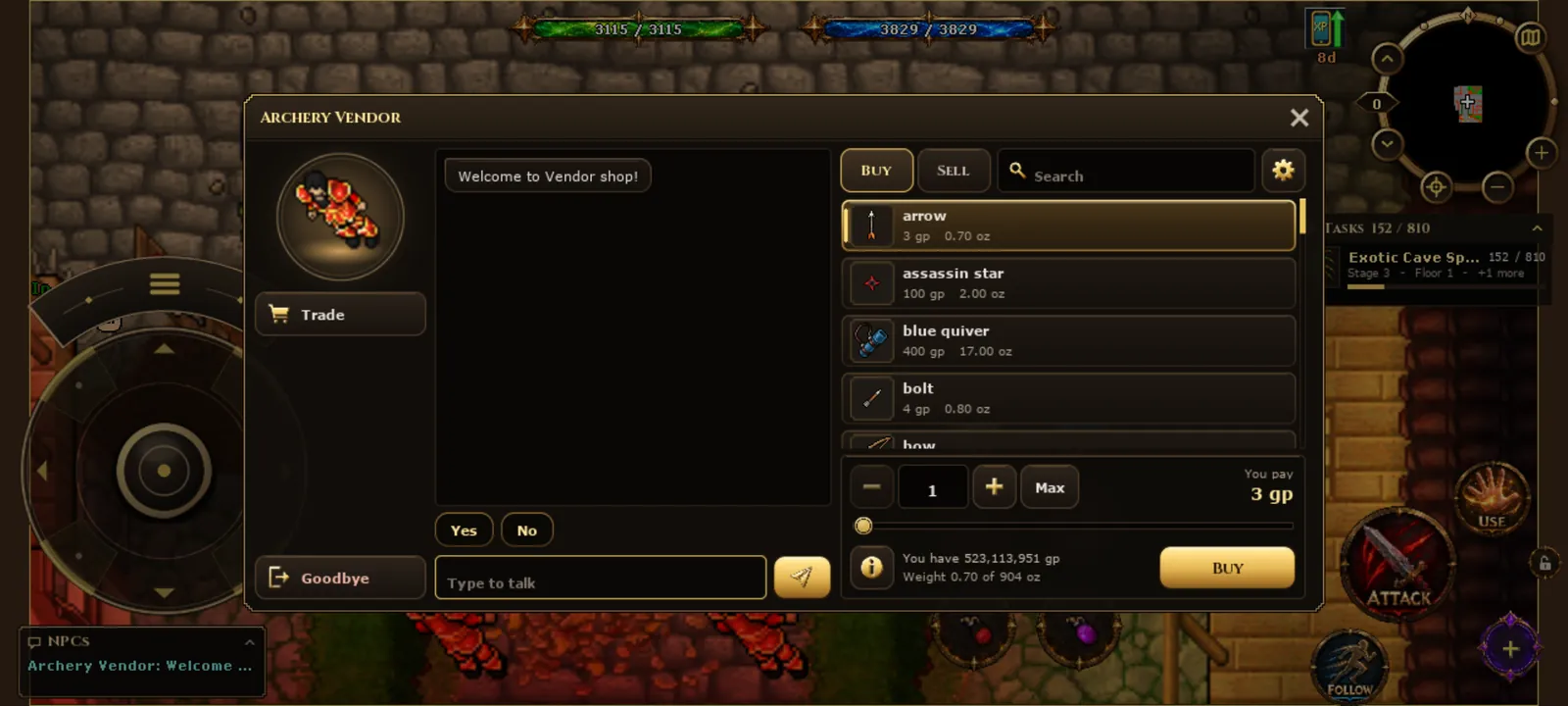
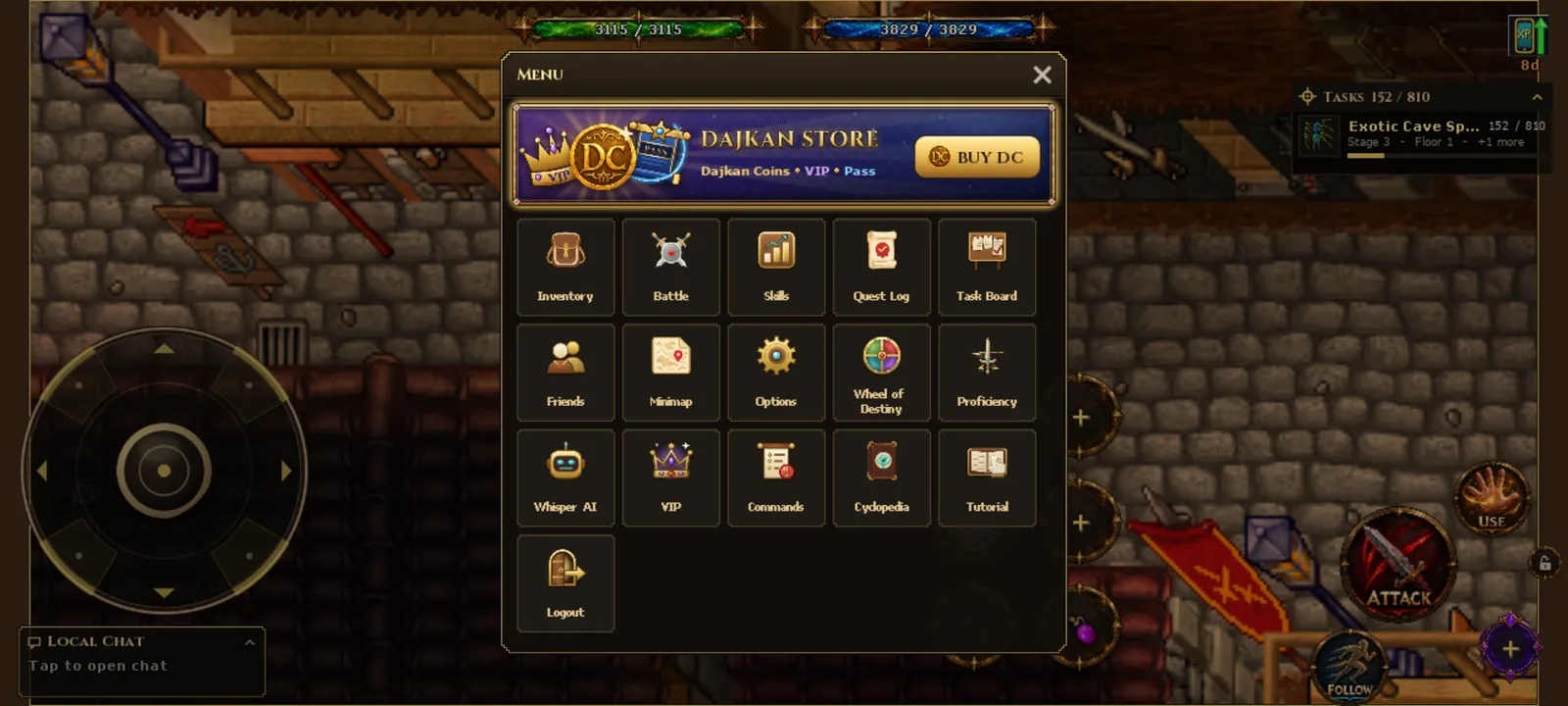
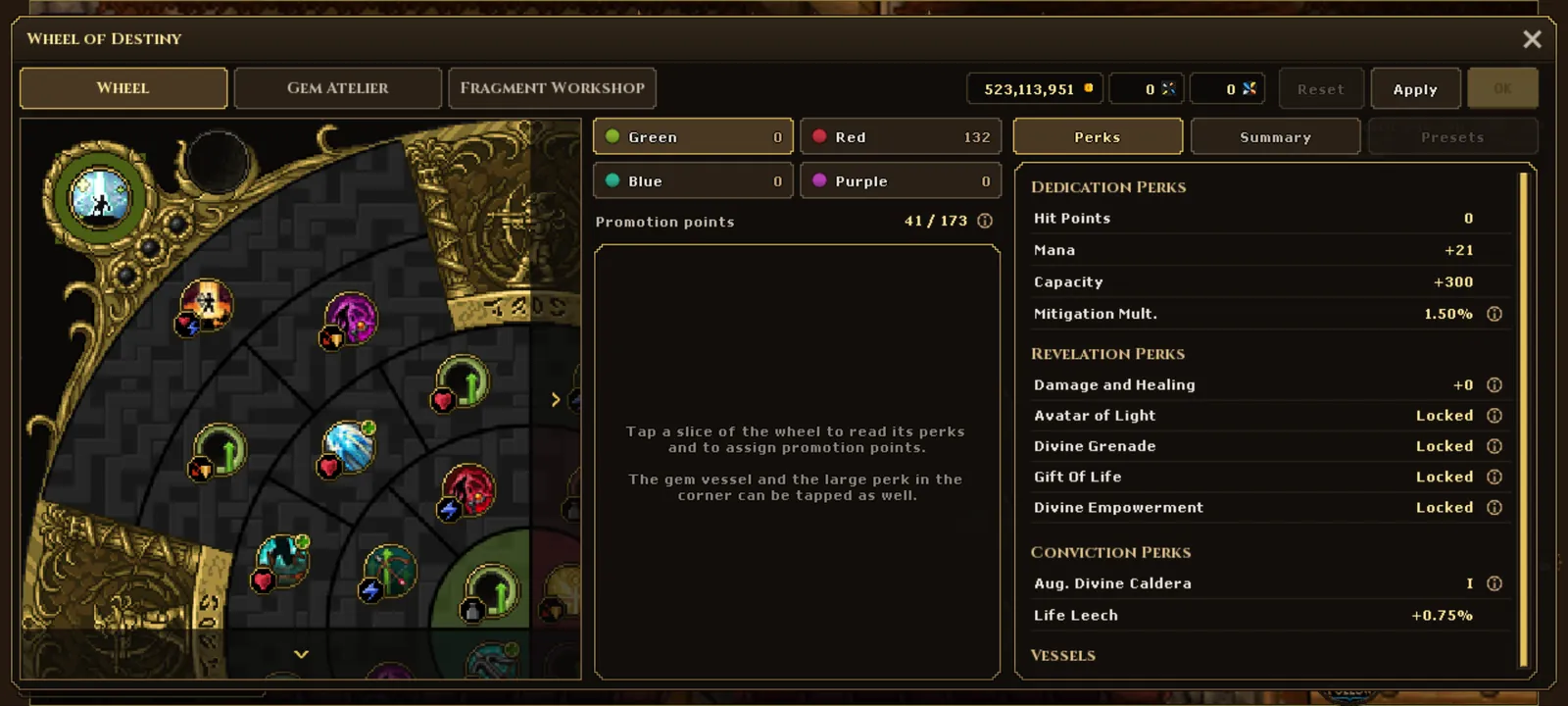
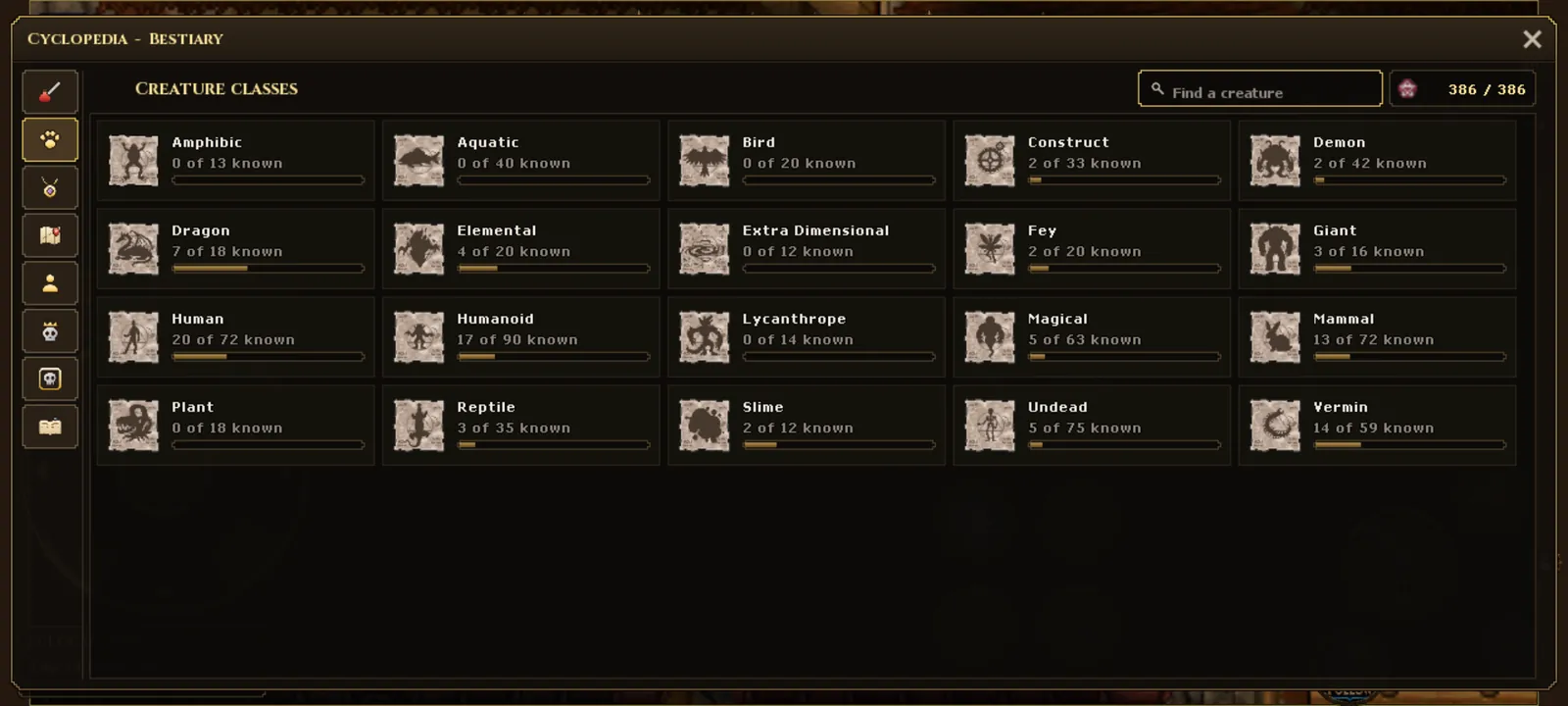
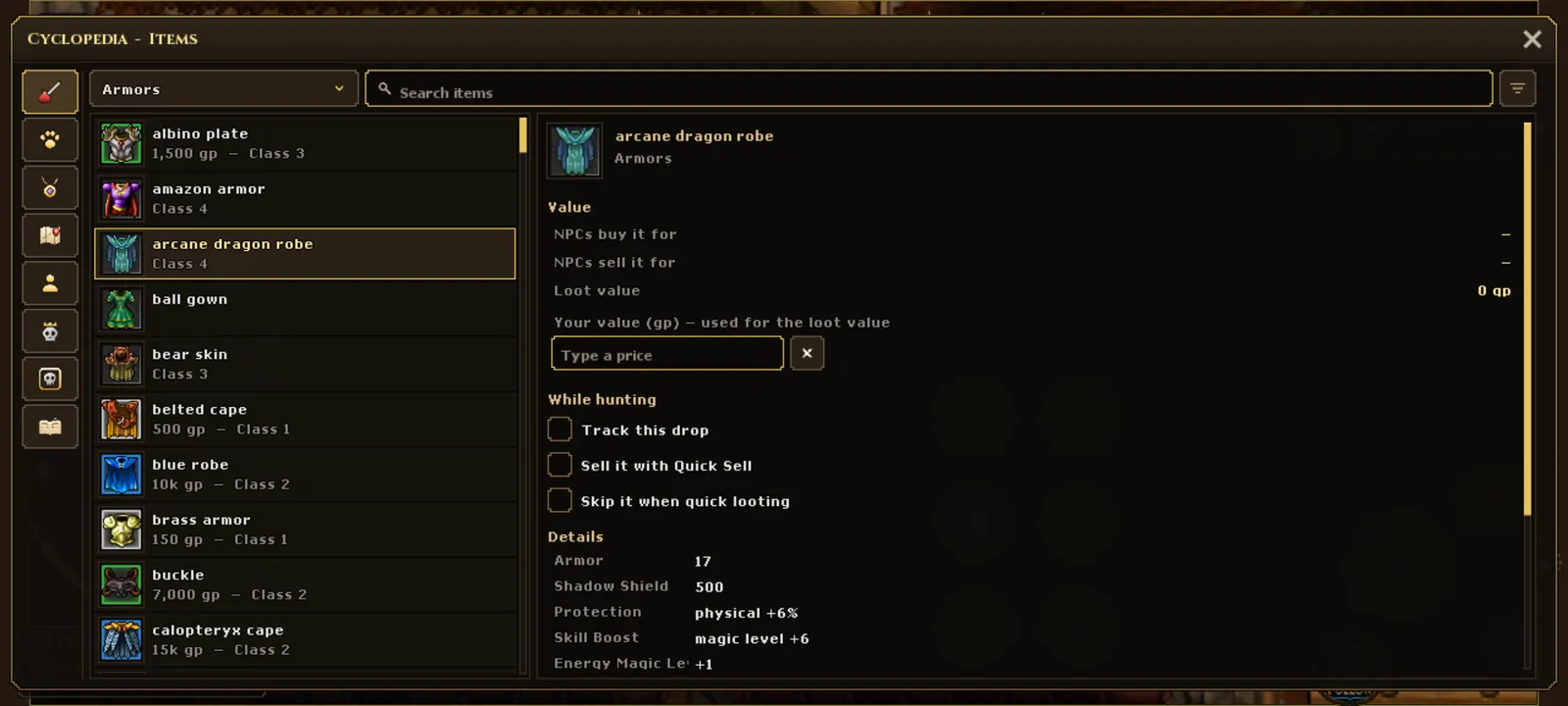
PC windows on your phone screen
Every screenshot comes straight from app 2.1.4. Tap a screenshot to zoom in.
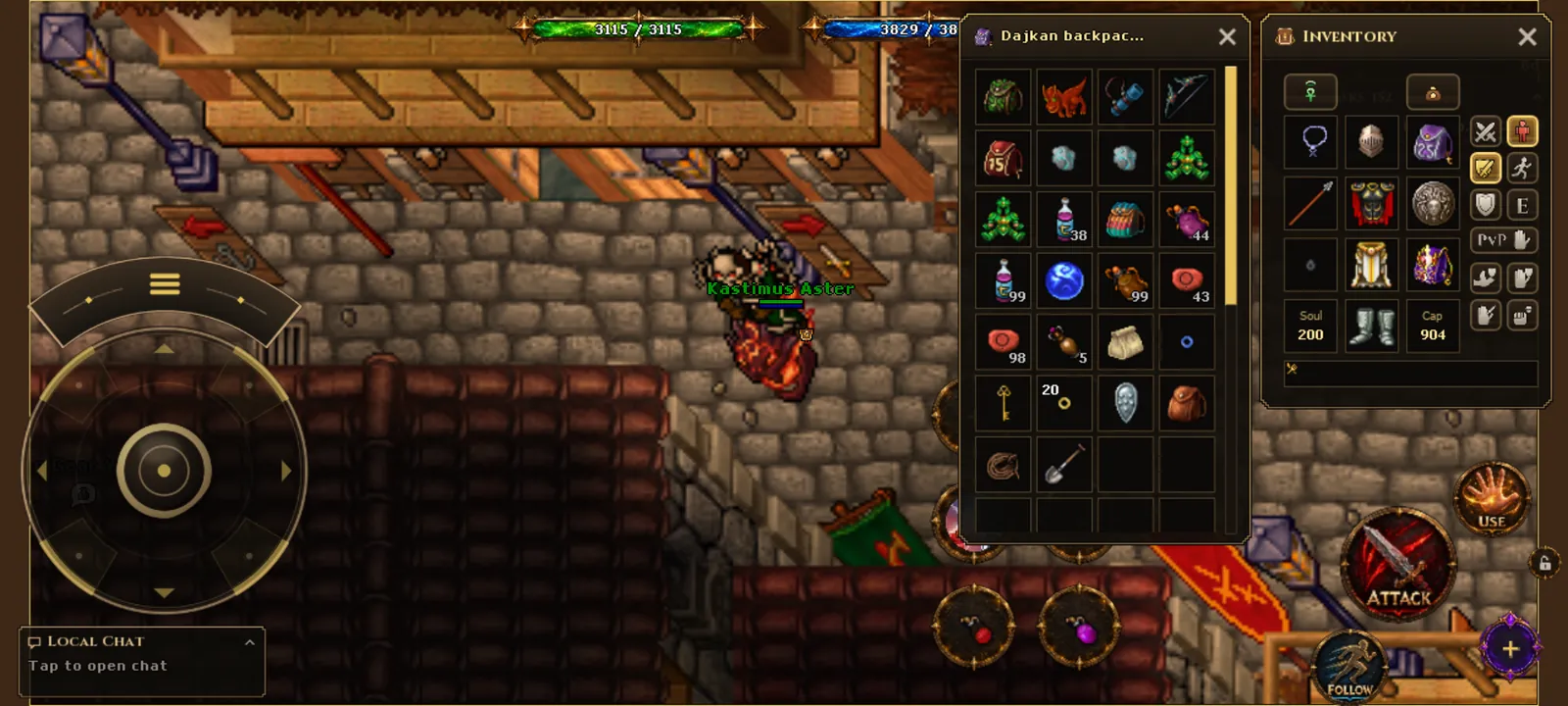
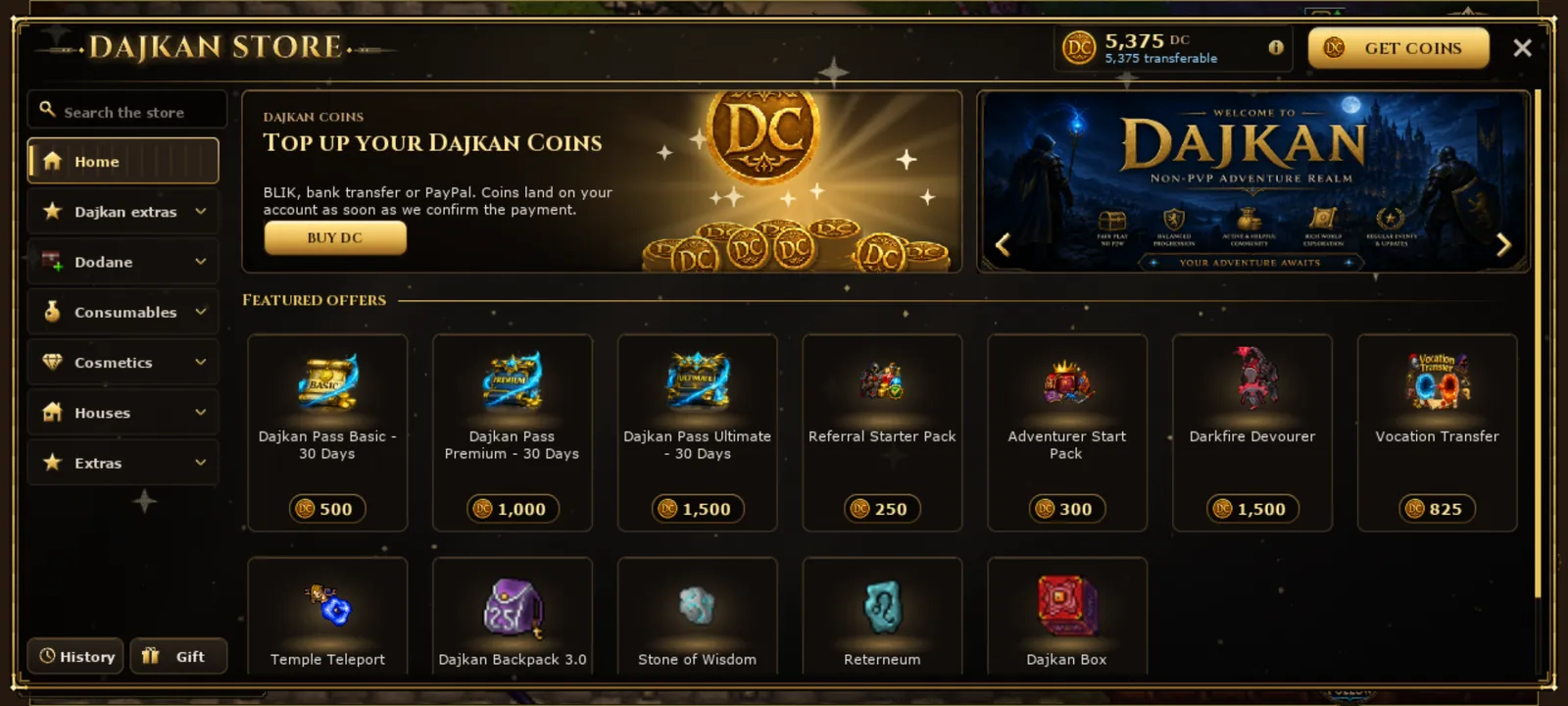
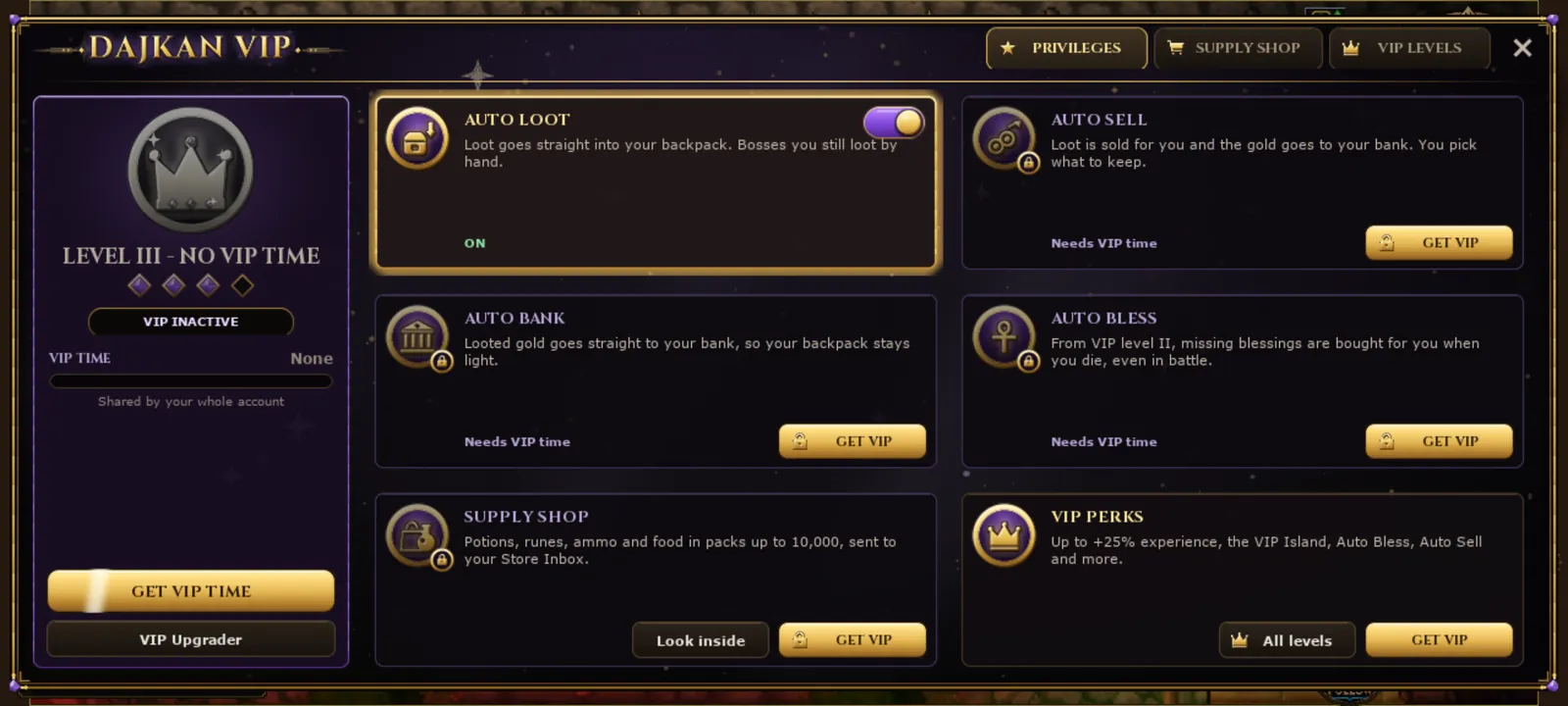
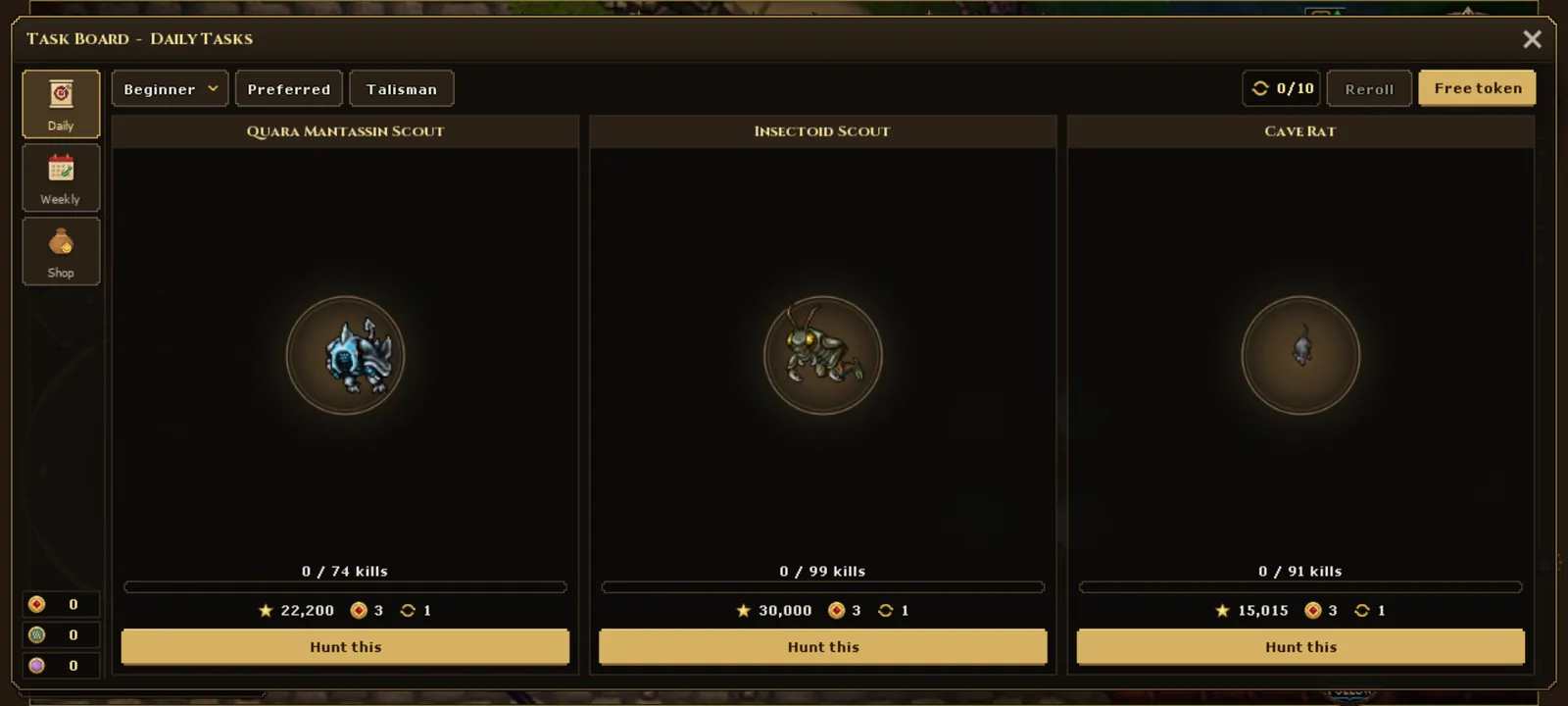
Whisper AI and a tutorial with a reward
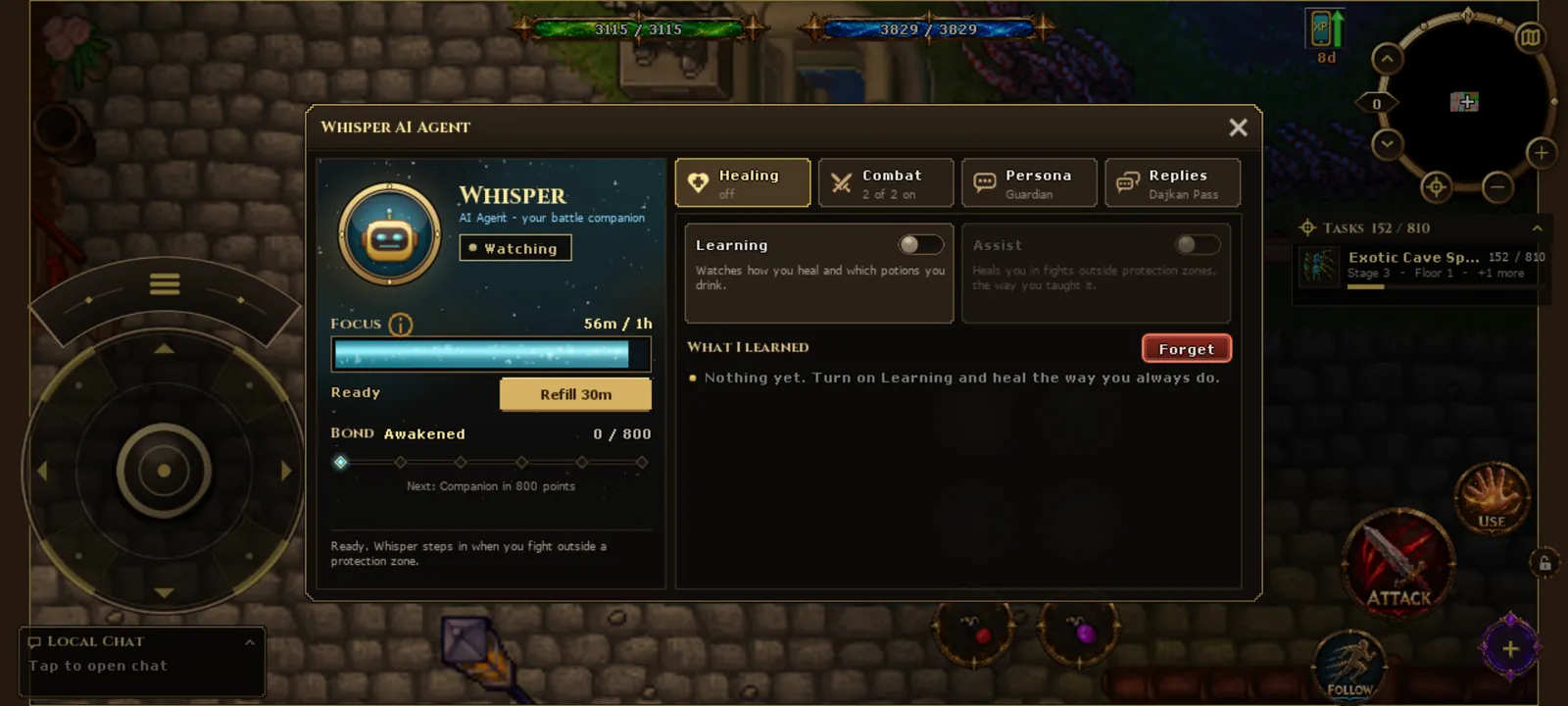
Whisper AI is a battle companion that works on the phone too. It learns how you heal, helps in fights, and with the Dajkan Pass it can also answer messages while you hunt.
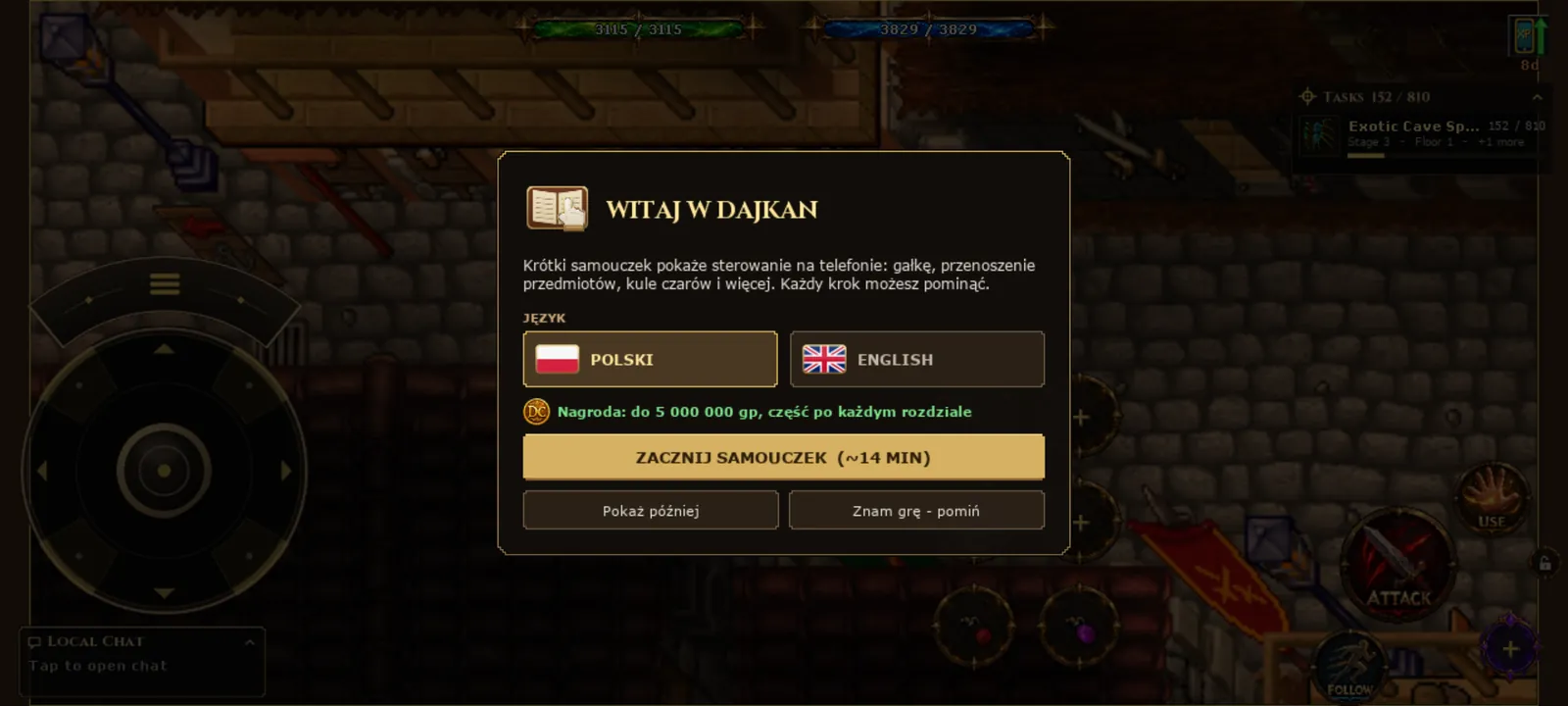
Your first steps are guided by a tutorial in Polish and English: a gold glove shows every gesture on the real HUD. Finished chapters pay up to 5 000 000 gp to your bank.
More than the game: the Dajkan app outside the game world
The app is useful even when you are not playing. It keeps you up to date with push notifications, the boosted creature and boss, the event calendar and the game chat, and it gives you a free spin every day.
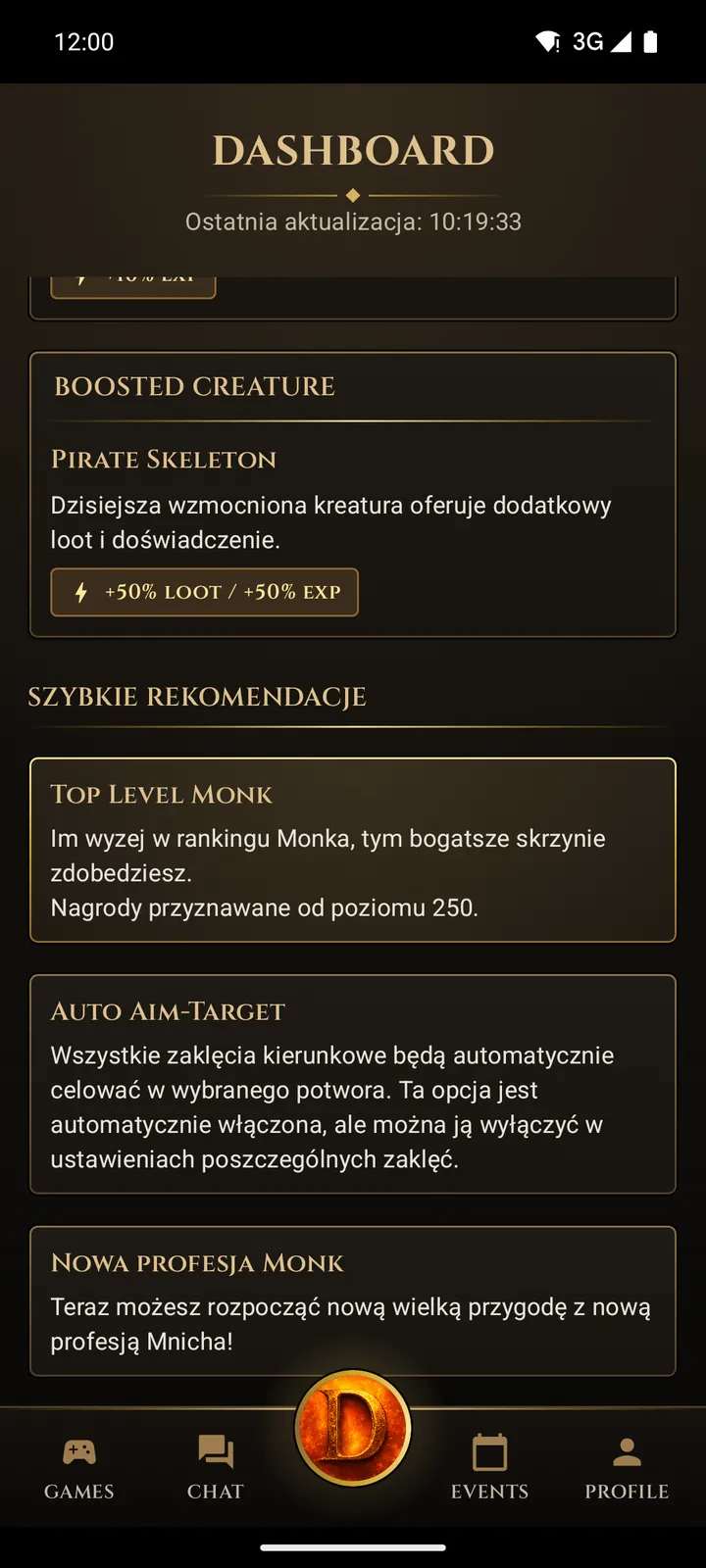
Dashboard
Server status, the boosted creature and boss of the day, quick tips.
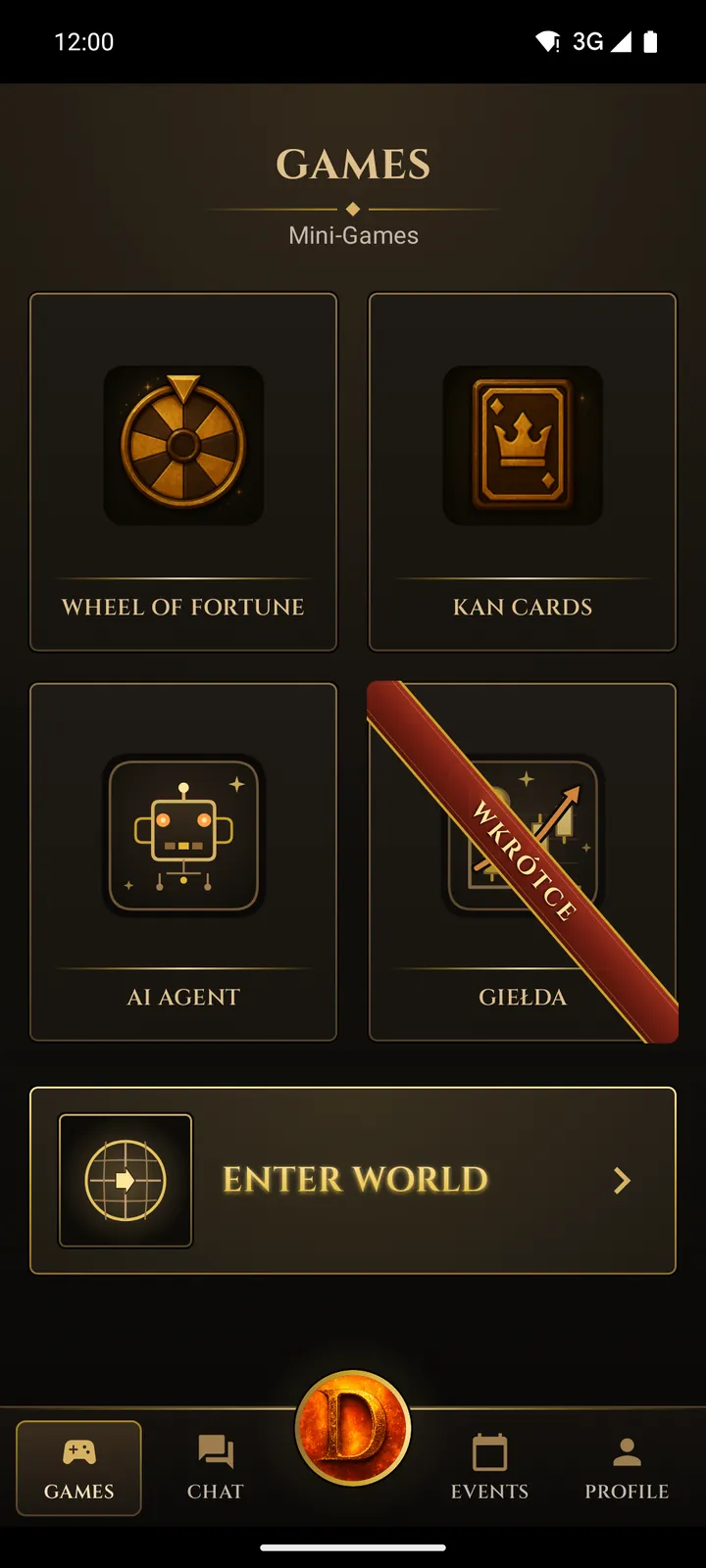
Games
Enter World, Kan Cards, Wheel of Fortune and AI Agent in one place.
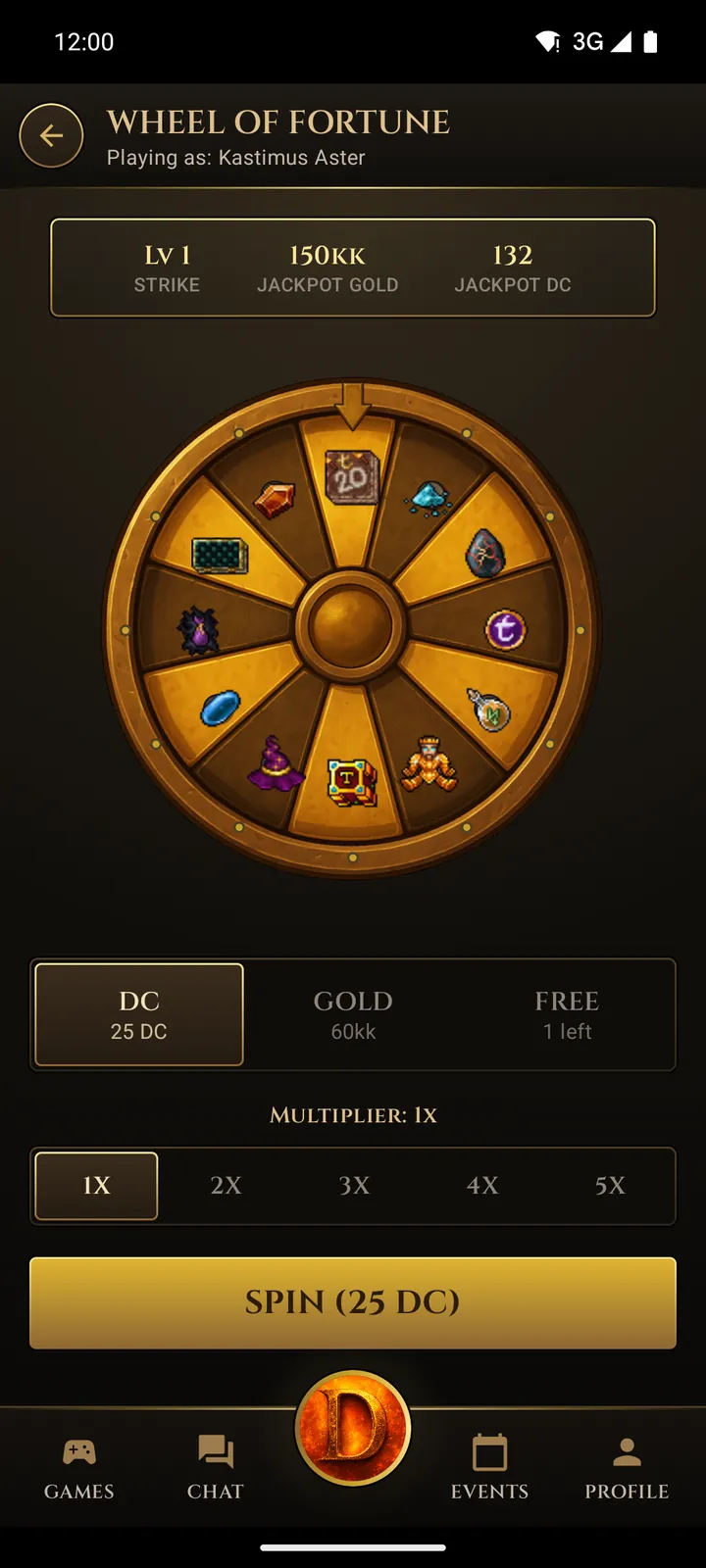
Wheel of Fortune
A free spin every day and a jackpot in gold and Dajkan Coins.
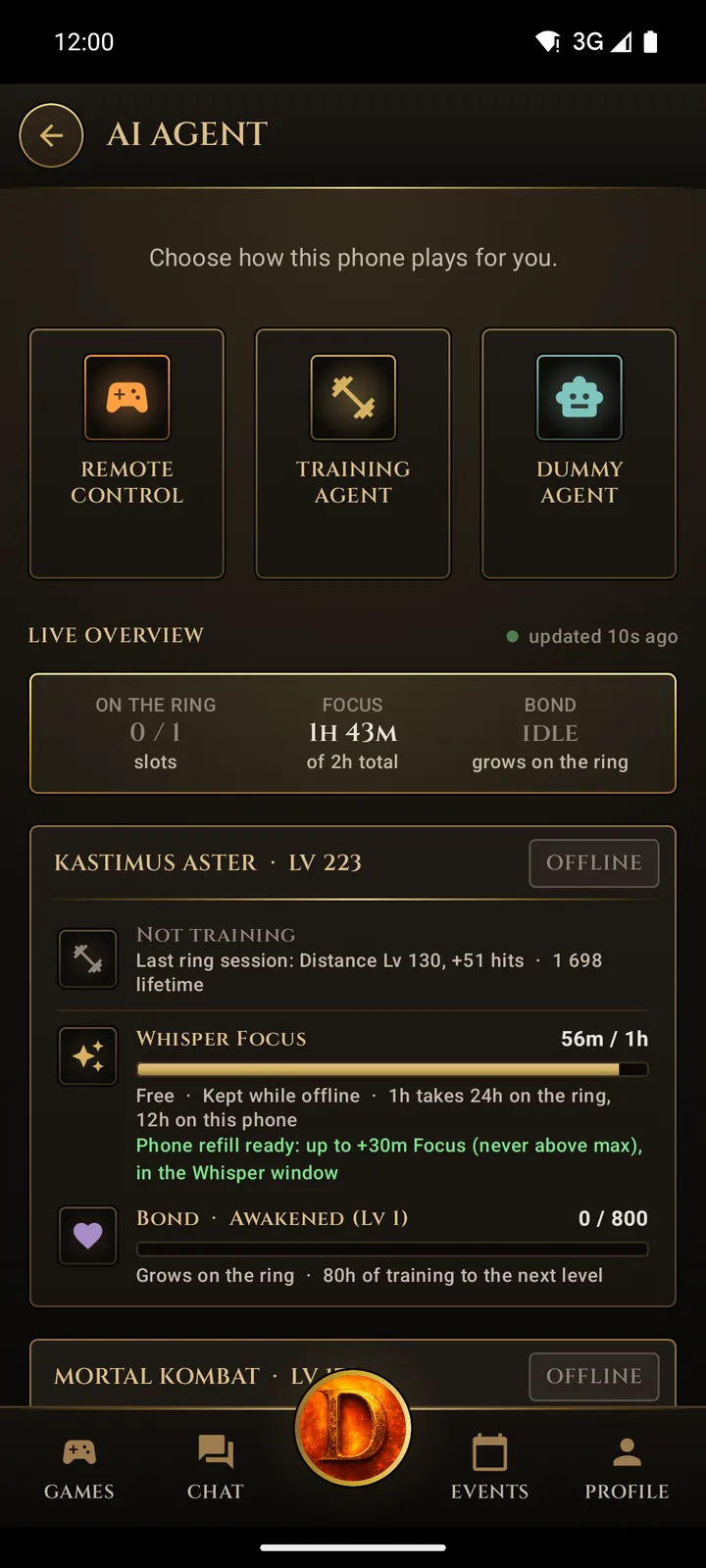
AI Agent
Training Agent and Dummy Agent train your character while you are away.
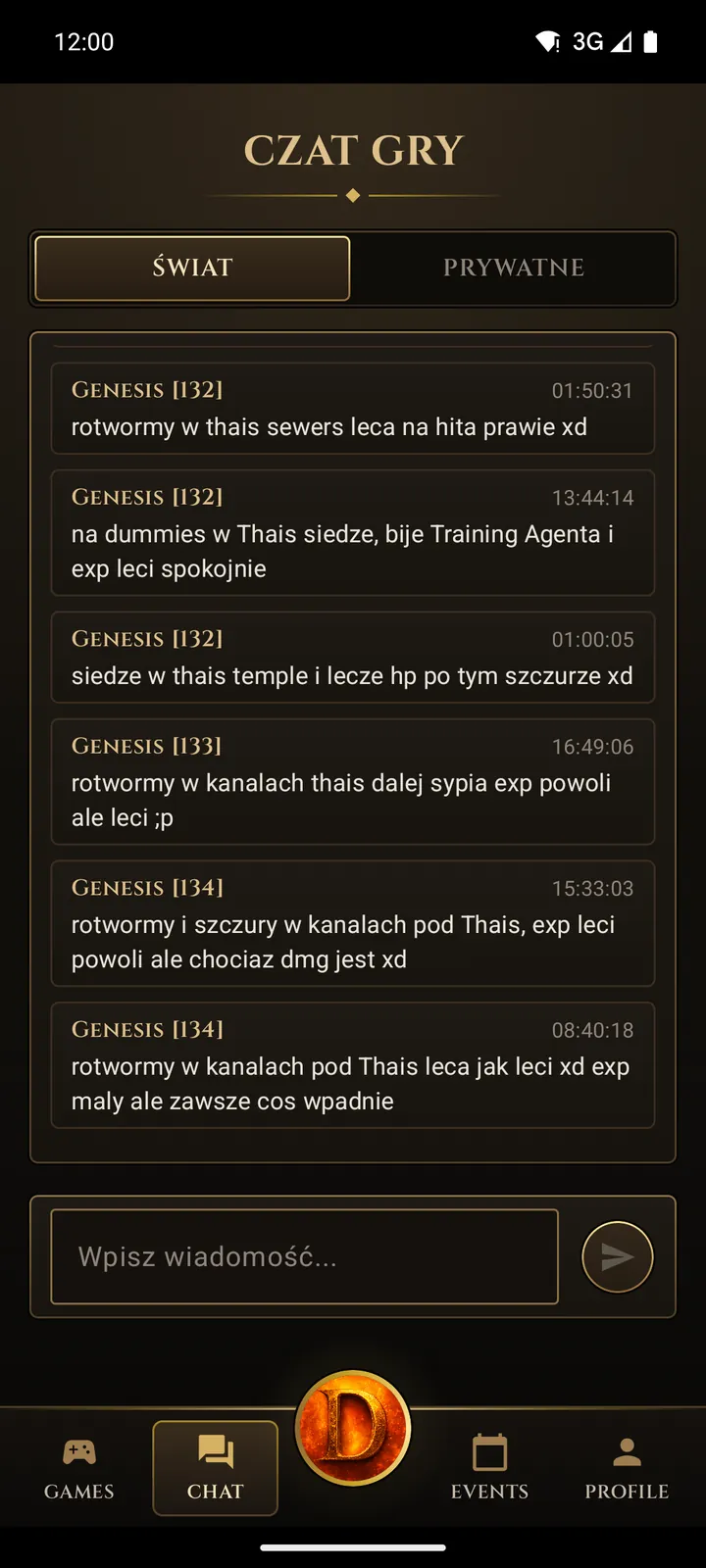
Game chat
World chat and private messages – write from your phone to players on PC.
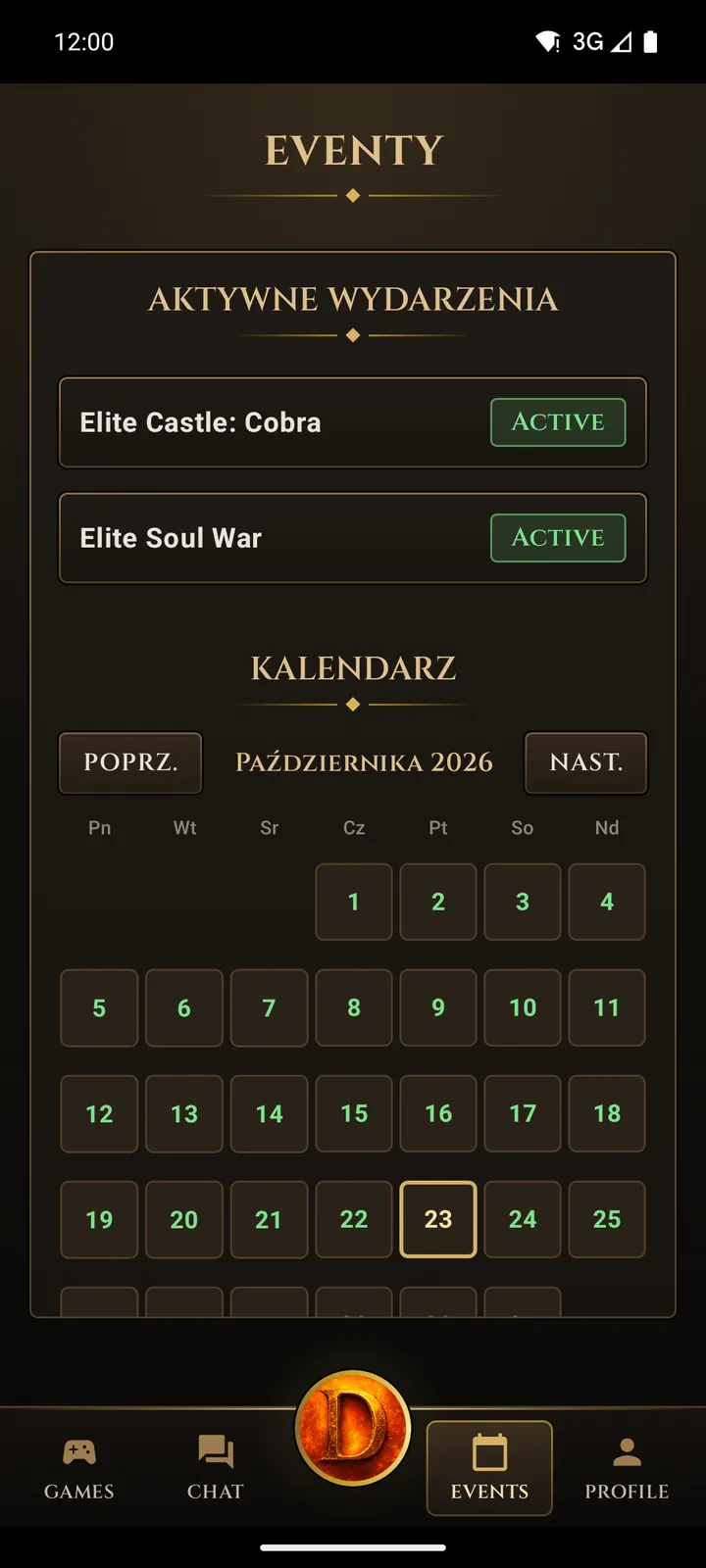
Events
Active events and the event calendar for the whole month.
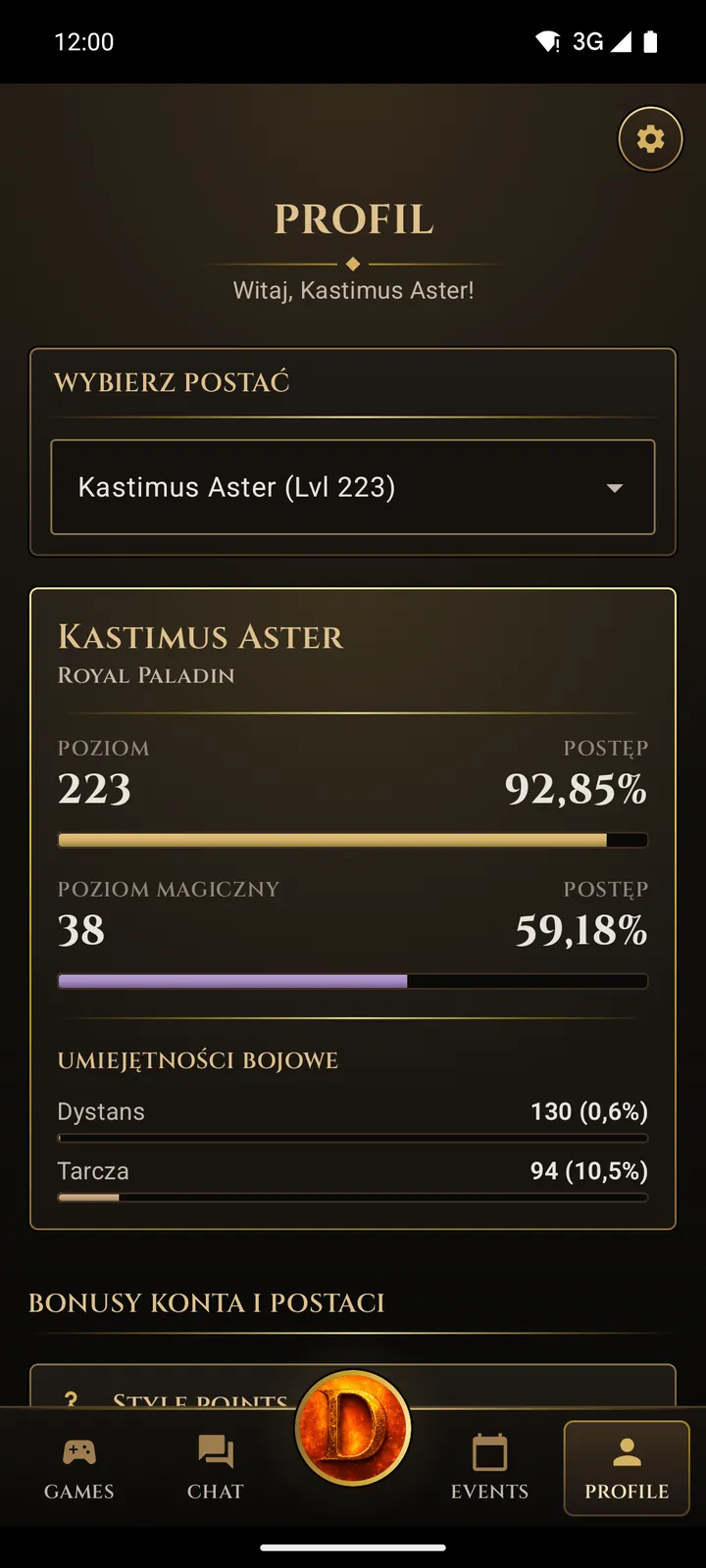
Profile
Level, magic level, skills and bonuses of every character.
Free
Android 7.0 or newer, at least 1 GB free.
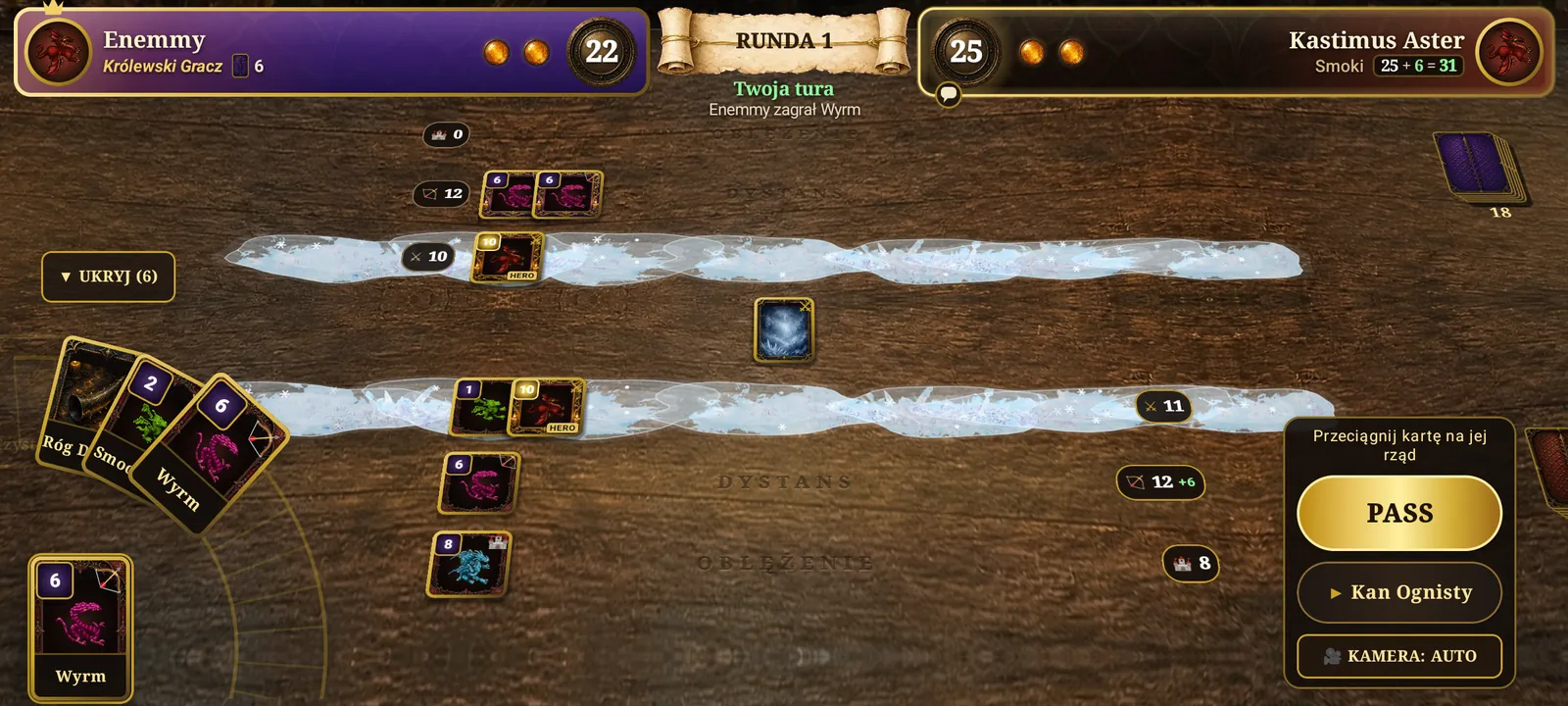
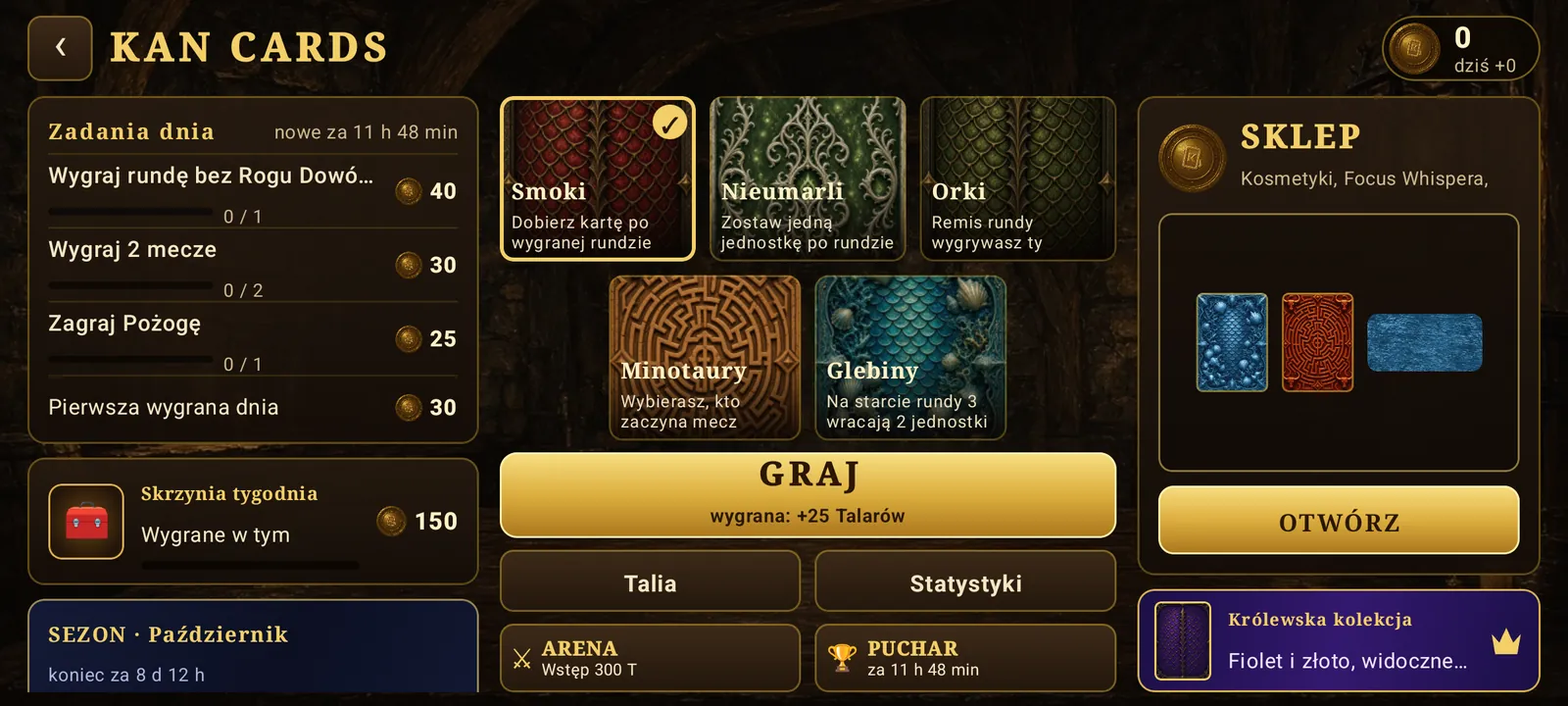
Kan Cards – a PvP card game in the app
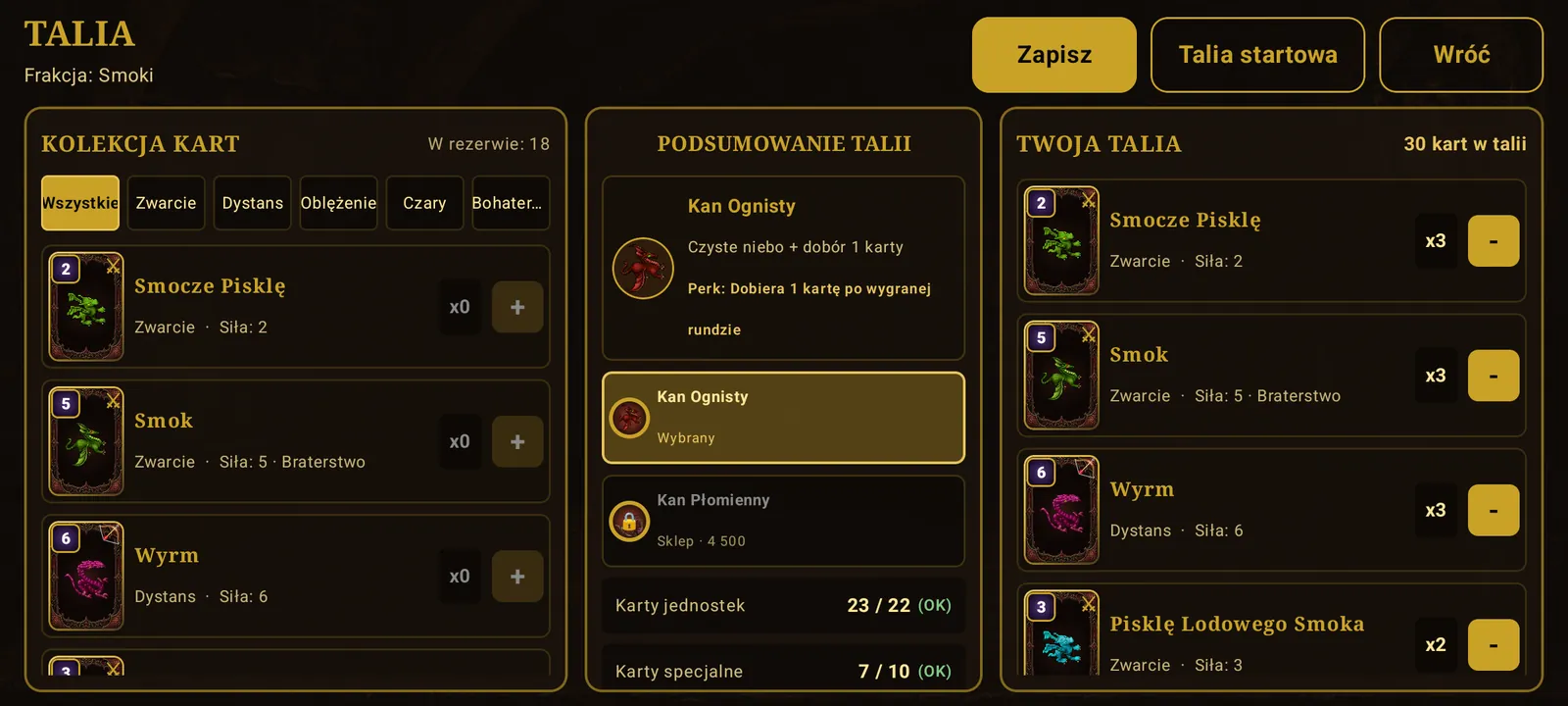
Kan Cards is a strategy card game in the Tibia world, played on three rows of a tavern table. Five factions (Dragons, Undead, Orcs, Minotaurs, Deeps), duels with other players, daily quests, a weekly chest, seasons, the Arena and a Saturday cup, plus a shop with cards and cosmetics. Wins pay Talers you can trade for rewards in the game.
One account on PC and phone (cross-play)
You play with the same account and the same characters on your computer and on your phone. Start a hunt at home on PC, and on the go check the chat, take your free spin or enter the game from the phone. One login, shared progress, shared bank and Dajkan Coins.
- AI Agent: Training Agent, Dummy Agent and Remote Control keep your character busy while you are away.
- Push notifications: private messages, Kan Cards invitations and the free spin reminder.
What to look for in an OTS for Android
| What to look for | How it works on Dajkan |
|---|---|
| The full game, not a character viewer | Enter World starts the 15.24 game client with the same windows as on PC. |
| Controls made for touch | Joystick, spell orbs, ATTACK, USE, FOLLOW and LOOT buttons, a hold menu and second-finger actions. |
| One account with PC | The same characters, bank, Dajkan Coins and progress on both screens. |
| Updates | The app checks its version at start and tells you when a new one is out. |
| Safe install | Official APK from dajkan.com, no root, encrypted connection to the server. |
| Fair rules | No illegal bot: training runs through the official AI Agent, within the server rules. |
| Language | The app and the tutorial in Polish and English. |
How to start playing Tibia on your phone
-
Create a free account
Register on dajkan.com. The same account works on PC and on the phone.
-
Download the Android app
Get the APK file from dajkan.com (about 120 MB) and allow installing from this source when Android asks. Keep at least 1 GB free.
-
Log in
Use the e-mail and password of your account. You can turn on fingerprint login in the settings.
-
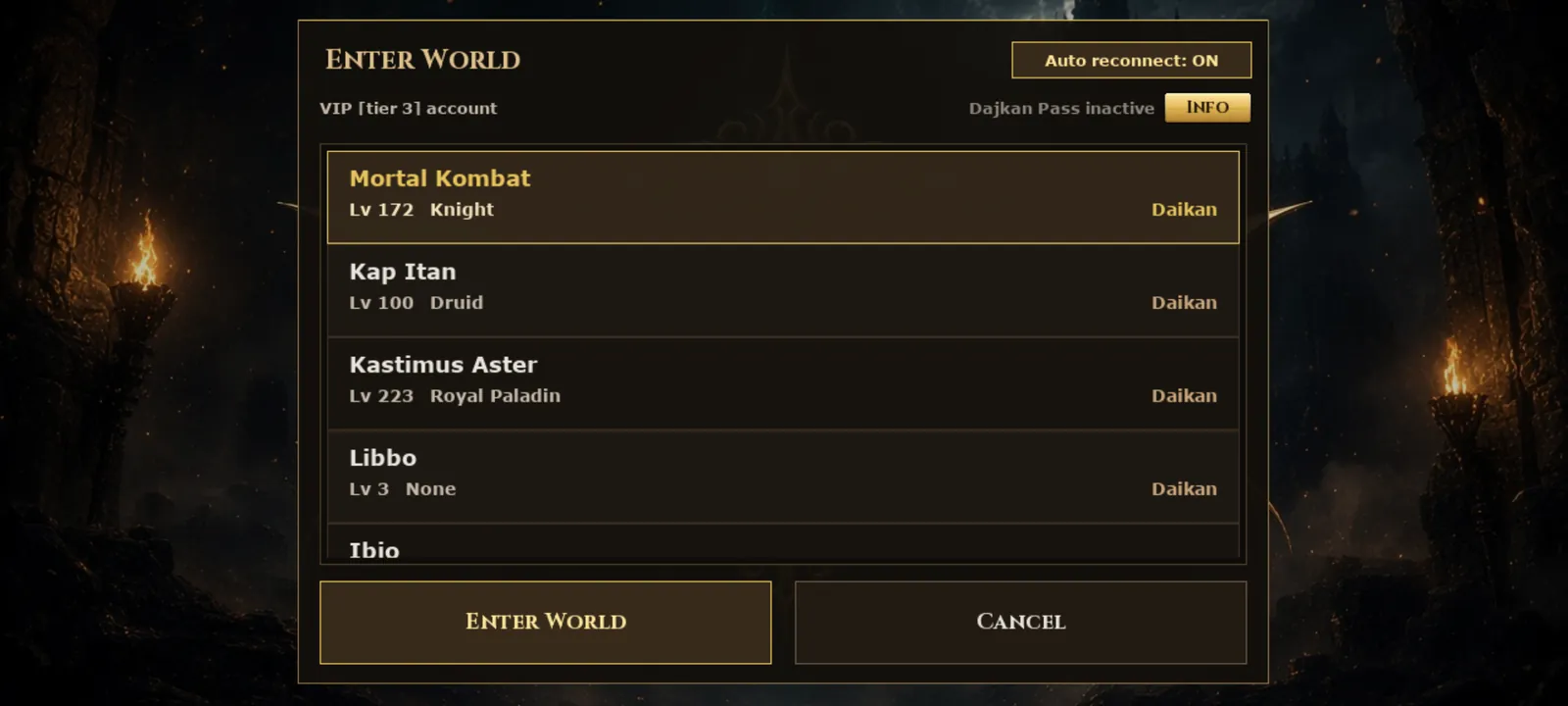
Tap Enter World
Pick a character and play. Before your first game the app downloads the game files (graphics, sounds and music, about 300 MB): by itself in the background on Wi-Fi, and on mobile data it asks first. The tutorial shows every gesture on the real screen.
Requirements and app details
- Free storage
- At least 1 GB. The APK file is about 120 MB; before the first game the app downloads about 300 MB of game files and then takes about 0.6 GB in all.
- System
- Android 7.0 or newer
- Device
- Phone or tablet with a 64-bit (ARM64) Android; a separate 32-bit version for 32-bit Android
- Download
- APK file about 120 MB + game files about 300 MB on the first game start
- Internet
- Wi-Fi or mobile data
- App version
- 2.1.4
- Price
- Free (optional Dajkan Coins, VIP and Dajkan Pass)
- Languages
- Polish, English
- Account
- The same as on PC
Frequently asked questions about Tibia on mobile
Is Tibia available on a phone?
The official Tibia client is made for computers. You can still play Tibia on a phone on an OTS with its own app: on Dajkan it is the full 15.24 client for Android, with the same world and characters as on PC.
How do I play Tibia on an Android phone?
Create an account, download the Dajkan app (APK file from dajkan.com), log in and tap Games, then Enter World. The tutorial teaches the touch controls in a few minutes.
Can I use the same character on PC and on my phone?
Yes. The app uses the same account as the PC client, so your characters, bank, Dajkan Coins and progress are shared. A character can be logged in on one device at a time.
Is the app free?
Yes, the app and the game are free. Dajkan Coins, VIP and the Dajkan Pass are optional.
Is the install safe? Do I need root?
You do not need root. Download the APK only from dajkan.com; Android asks once for permission to install apps from that source. The app talks to the server over an encrypted connection.
Does the app have a bot?
There is no illegal bot. The app has official features instead: AI Agent (Training Agent, Dummy Agent, Remote Control) and the Whisper AI companion, which work within the server rules.
Does it work on a tablet or an iPhone?
It works on Android phones and tablets with Android 7.0 or newer. Most phones use the main (64-bit) version; phones with a 32-bit Android get a separate 32-bit version on the download page. There is no iPhone (iOS) version at the moment.
Is it the full game or a lite version?
The full game. Enter World starts the 15.24 client with all windows: Cyclopedia, Wheel of Destiny, Task Board, VIP, Dajkan Store, Whisper AI and more.
How much space does the app need on my phone?
The APK file is about 120 MB. Before your first game the app downloads the game files (graphics, sounds and music, about 300 MB) from our file server: in the background on Wi-Fi, and on mobile data only after asking. With them it takes about 0.6 GB. Keep at least 1 GB free; you can delete the downloaded APK file after installing. Updates only download the game files that changed.
Are there resets on Dajkan?
No. Dajkan is a non-PvP server without character resets. Read more on the Tibia OTS page.
Play Tibia on your phone today
Create an account, get the app and enter the world of Dajkan from your phone or your computer.